
KromiOS on the real machine
KromiOS now runs on the KV260 at 1920 × 1080: it hands the machine to a program and gets it back a hundred times in a row, and the board's own frame checksums caught a bug no emulator could show.
Until 10 October, KromiOS, our operating system, had only ever run in an emulator on a Mac. That day it ran on the real hardware: the KV260 with its four Cortex-A53 cores, driving a real display at 1920 × 1080. It ran from start to finish: its desktop, its windows, more than a hundred programs started and ended with KromiOS taking the machine back each time, a few crashes on purpose, and its own clean exit. Every frame we checked on the board was right.
This post is about that run: what KromiOS does on the machine, how we know every frame is correct, and the one bug that only the real screen could show.
The desktop at full size
KromiOS now draws its desktop at the screen’s own size, 1920 × 1080, one pixel for every point. There is no scaling: every line and every letter is at its natural sharpness. The windows, the apps and the sessions all run at that size.
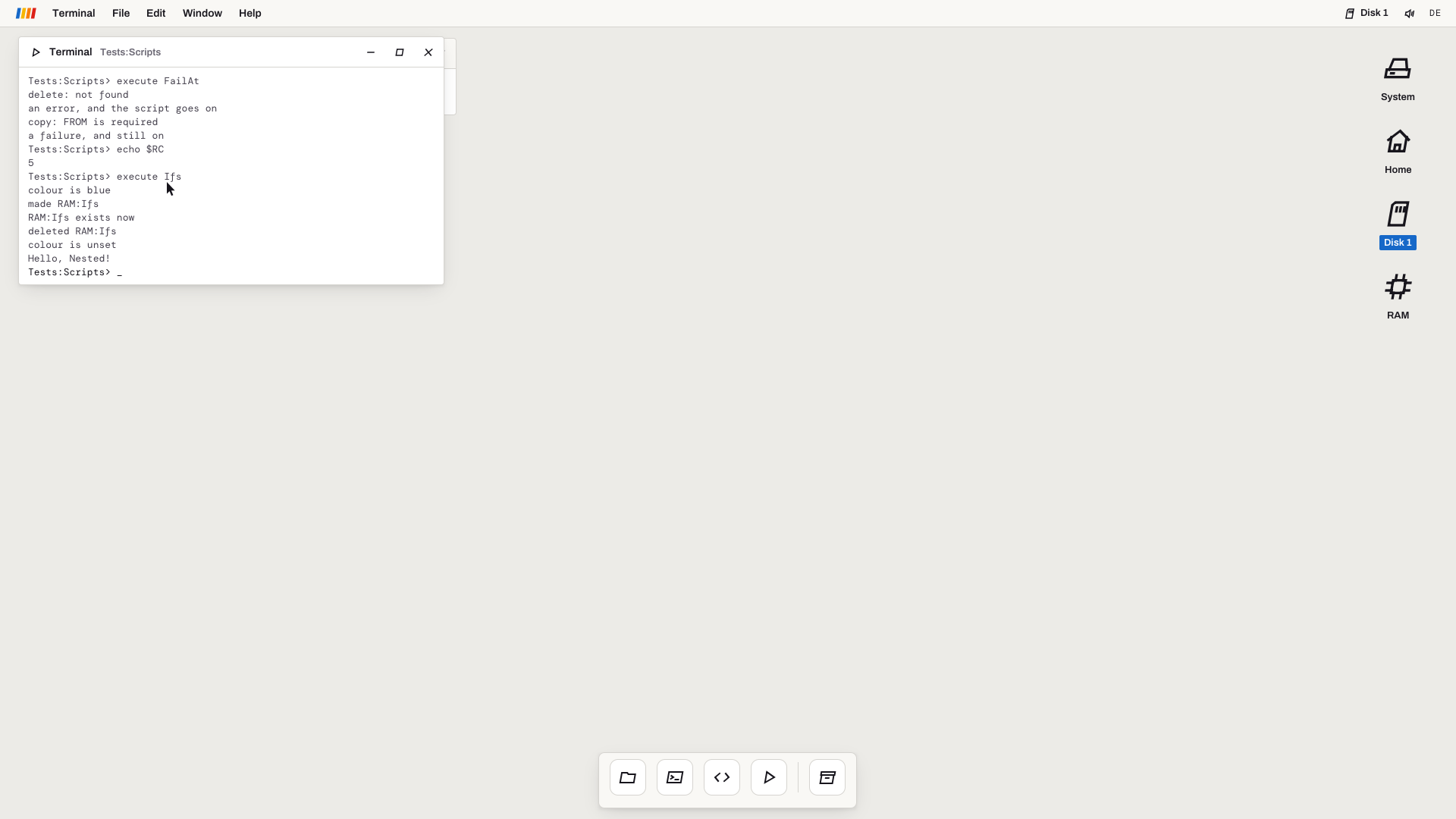 A screenshot of the whole 1920 × 1080 frame: the Terminal running two test scripts. The board draws exactly the same pixels.
Starting a program, and getting the machine back
On Kromi One, a game can run inside KromiOS or take over the whole machine. Moving between the two is the job of KROM, our firmware, and it has to be safe in both directions.
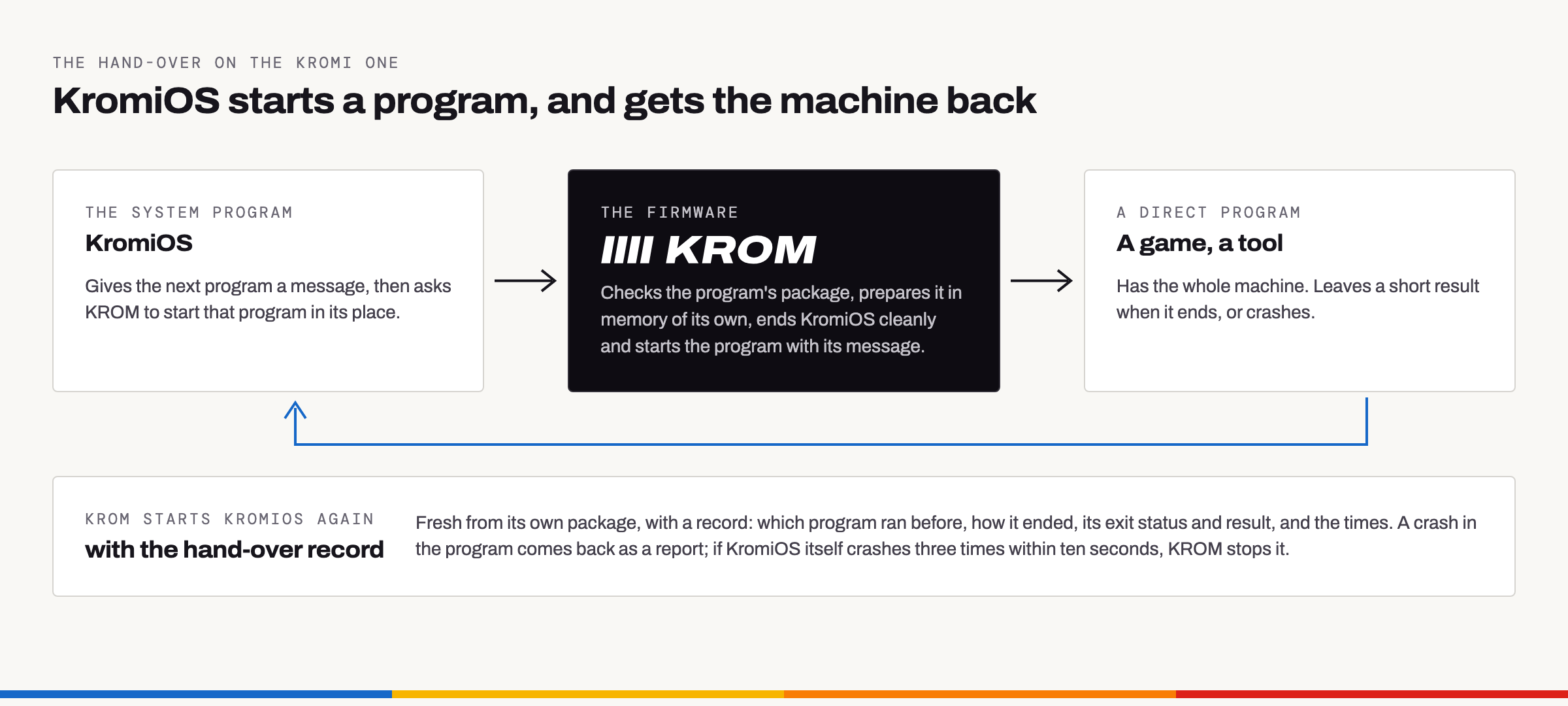
KromiOS gives the next program a message and asks KROM to start it. KROM checks the program’s package, prepares it in memory of its own, ends KromiOS cleanly and starts the program. When the program ends, or crashes, KROM starts KromiOS again from scratch and hands it a record: which program ran, how it ended, its exit status, its result and the times. If KromiOS itself crashes three times within ten seconds, KROM stops it instead of looping forever.
To test it, KromiOS gives a small program a message, “ROUND=1”. The program paints the screen orange and hands the message back; KromiOS checks it and starts round 2. A hundred rounds in a row.
Then the unhappy cases: a program that ends with an error, a program that crashes, and KromiOS crashing itself on purpose. Each time, KROM brings KromiOS back, and KromiOS reads what happened from KROM’s record and tells you.
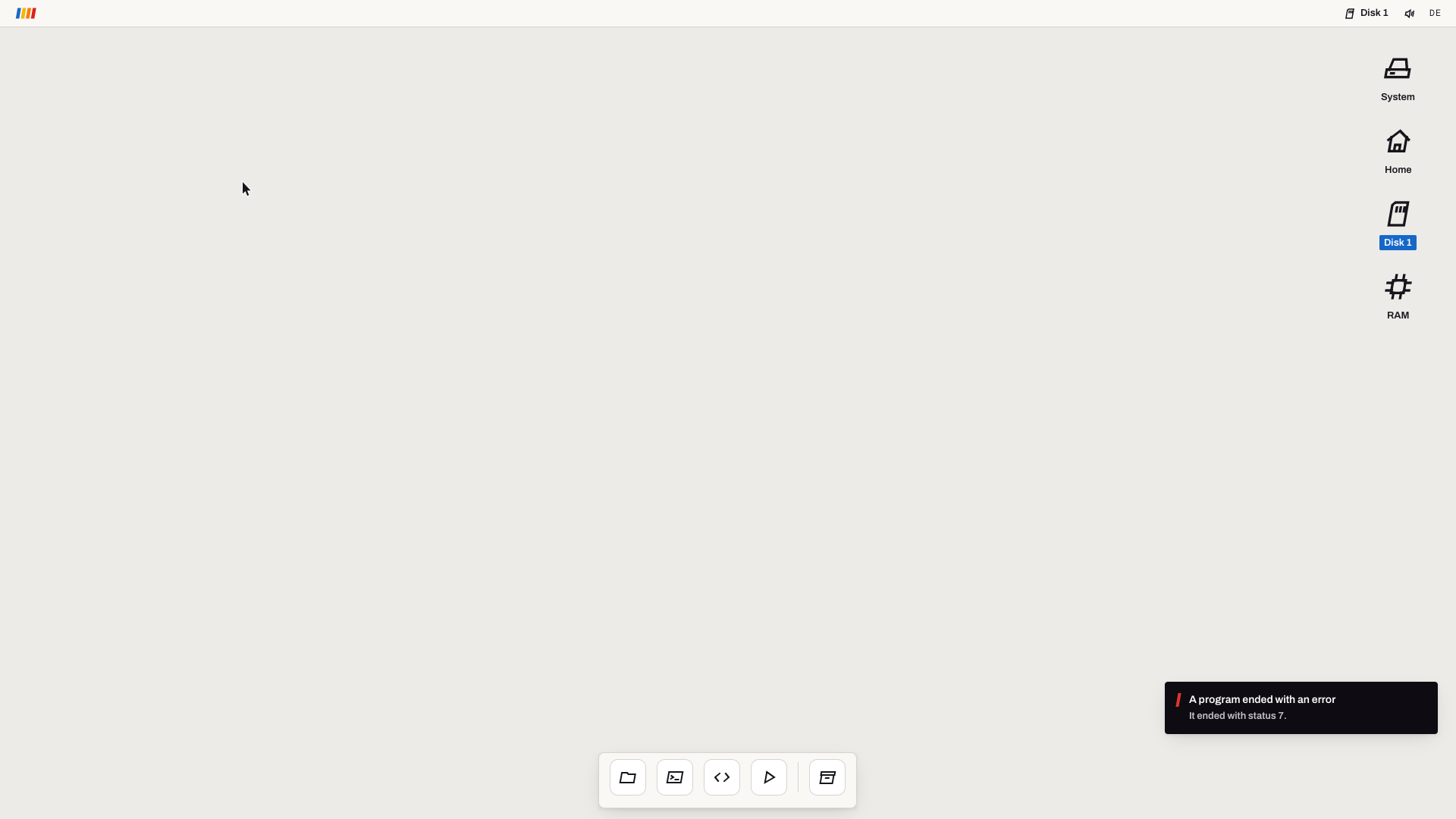 A screenshot of the whole frame: KromiOS is back on its desktop and reports that the program before it ended with an error.
One run is 208 such starts: KromiOS 105 times, the small test programs 103 times. At the end, KromiOS exited with status 0, and KROM’s memory check found nothing left behind.
How we know every frame is right
The display in our chipset, Dora, computes a checksum of every frame it sends to the screen, in hardware. KromiOS computes the same checksum for each frame it draws, and so does our test on the Mac. All of them agree, frame by frame. The processor has an instruction for this kind of checksum, so KromiOS needs only 4.3 ms for a full frame of 8.3 million bytes, about a quarter of the 16.7 ms a frame lasts at 60 Hz.
Before a board run, the Mac writes down every different frame of the whole run, in order: 2,933 of them. While KromiOS runs on the board, KROM’s test tools read the display’s checksum again and again and check that each frame is in that list, in the right order. KROM’s start screen may appear between two programs; nothing else may.
The bug only the real screen could show
The first run on the board went through from start to finish. But 1,258 of the 28,791 frames we sampled were not in the list. Each one was a passing state: the next sample was right again. They appeared at moments when much of the screen was redrawn.
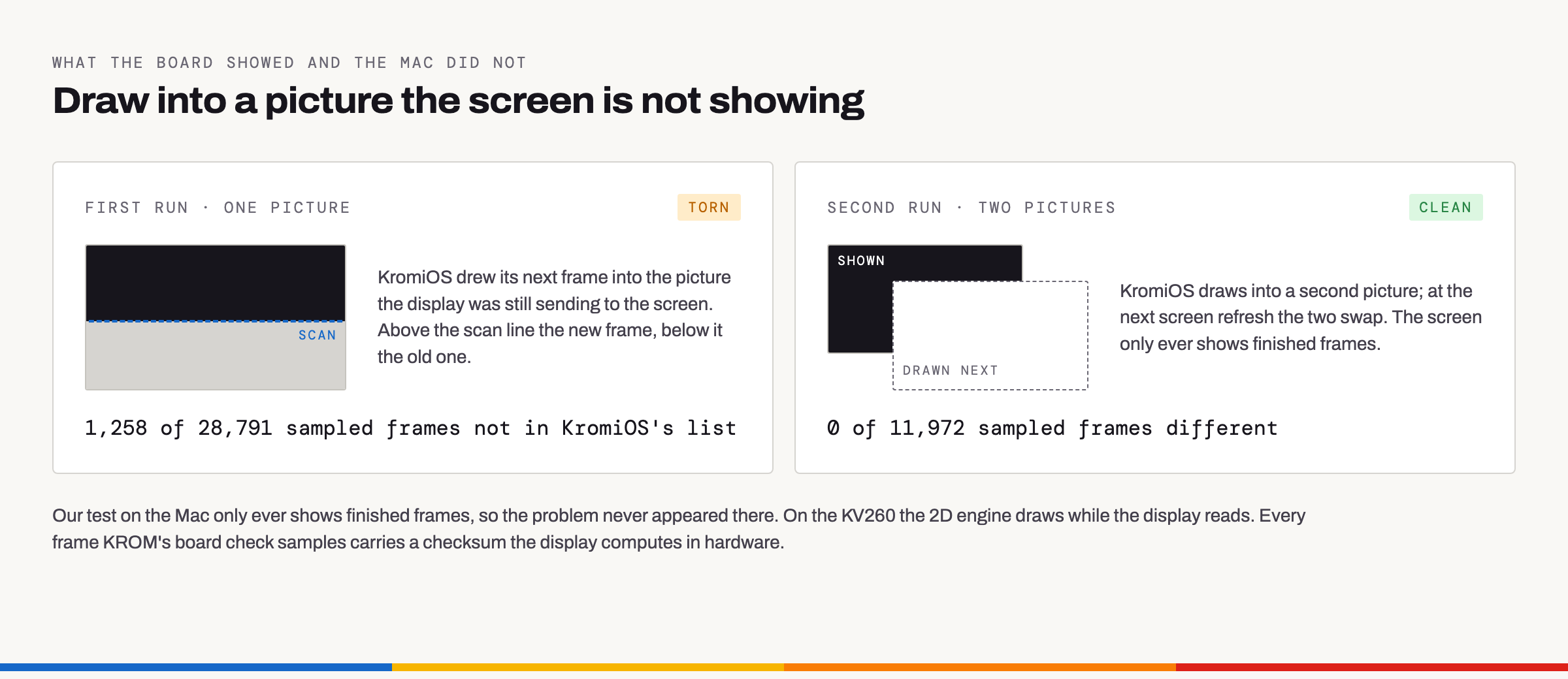
KromiOS had one picture of the screen. After each frame was shown, it drew the next one into that same picture, while the display was still sending it to the screen line by line. On a monitor, that is tearing: the top of one frame above the bottom of another. Our test on the Mac only ever shows finished frames, so it never saw the problem. The board did, on the very first try.
The fix: KromiOS now draws into a second, hidden picture and swaps the two when the screen has taken the new one. Only the parts that changed are copied across. The second run on the board sampled 11,972 frames: none wrong. The frames themselves didn’t change at all; the list stayed the same.
KromiOS also taught its Mac test to count every drawing aimed at the picture on screen: 543,463 with the old KromiOS, none now. So this can’t come back unnoticed.
This is exactly why the board’s own checksums exist. An emulator shows you what a frame should be. Only the real machine shows you what the monitor actually gets.
Fast enough
Sergej’s target was half a second for every switch, from a hand-over to the first desktop frame. On the board:
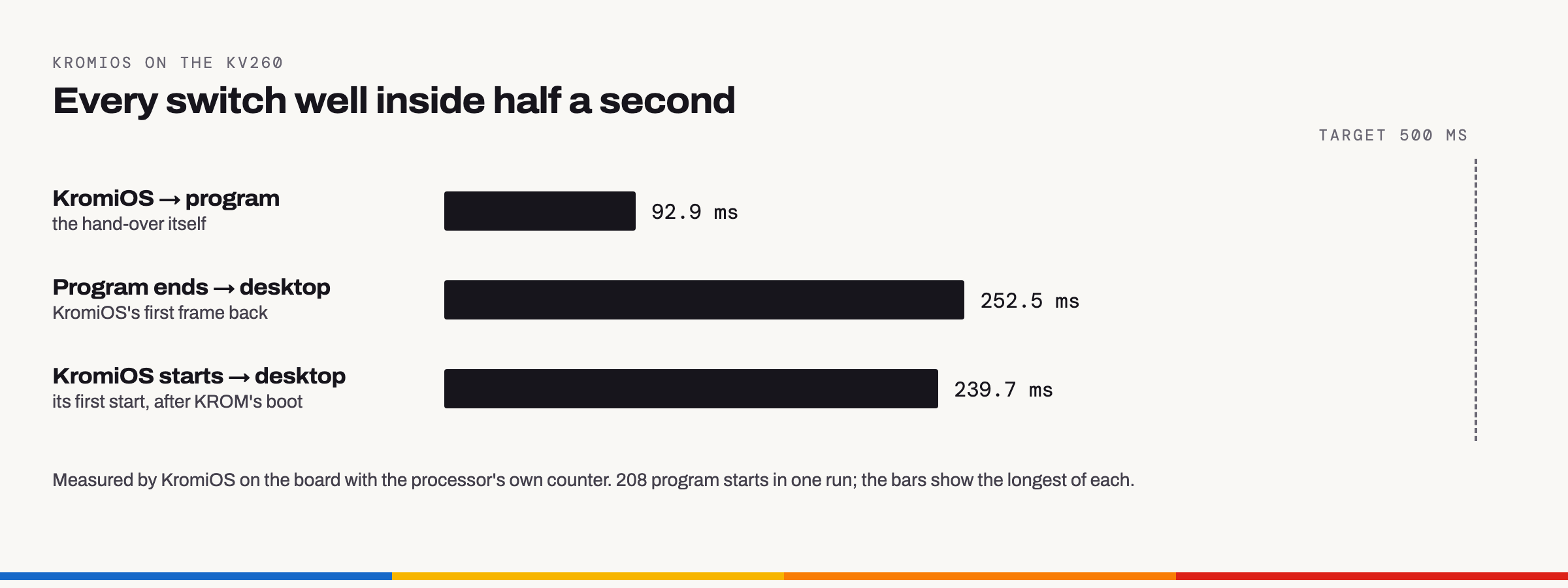
| The hand-over itself, from one program to the next | 92 ms |
| From a program’s end to the desktop | at most 253 ms |
| From KROM starting KromiOS to its desktop | 240 ms |
| KROM’s own start, from its first instruction until it starts KromiOS (power-on, loading the FPGA and the board’s loader come before it) | 1.25 s, measured on 10 October |
Since 14 October, KROM’s start is 0.85 s shorter. The new total hasn’t been measured on the board yet; we’ll report it when it has.
In numbers
| Report lines in one run, one for everything KromiOS checks | 4,919, identical letter for letter on the board, in the emulator and on the Mac |
| Different pictures on screen in one run | 2,933, each checked on the board, in order |
| Hand-overs | 100 in a row, then an error, a crash and KromiOS’s own crash |
| The whole of KromiOS in one file (code, Lua, desktop, apps, fonts) | 1.4 MB in these runs; about 6.7 MB today, with what has been added since, such as the card’s file system and the music app |
| Memory for pictures and buffers, at its busiest | 18.7 MB of the 512 MiB KROM sets aside for them, most of it two full-screen pictures |
Identical report lines on all three machines mean the same program did exactly the same things and drew the same pictures everywhere, so what we test on the Mac holds on the real machine. The board needs only two things to run it: KROM, our firmware, and that one file.
What happened since
The run on the board was only the start, and KromiOS has not stood still. These screenshots are from Kromi One’s emulator, whole 1920 × 1080 frames at their natural size.
KromiOS has new icons. Sergej chose them: upright, one accent colour each, and Home drawn as a door. You see them on the desktop (System, Home, Disk 1 and RAM) and in the dock. They aren’t image files. KromiOS draws them as vectors, so they stay sharp at any size.
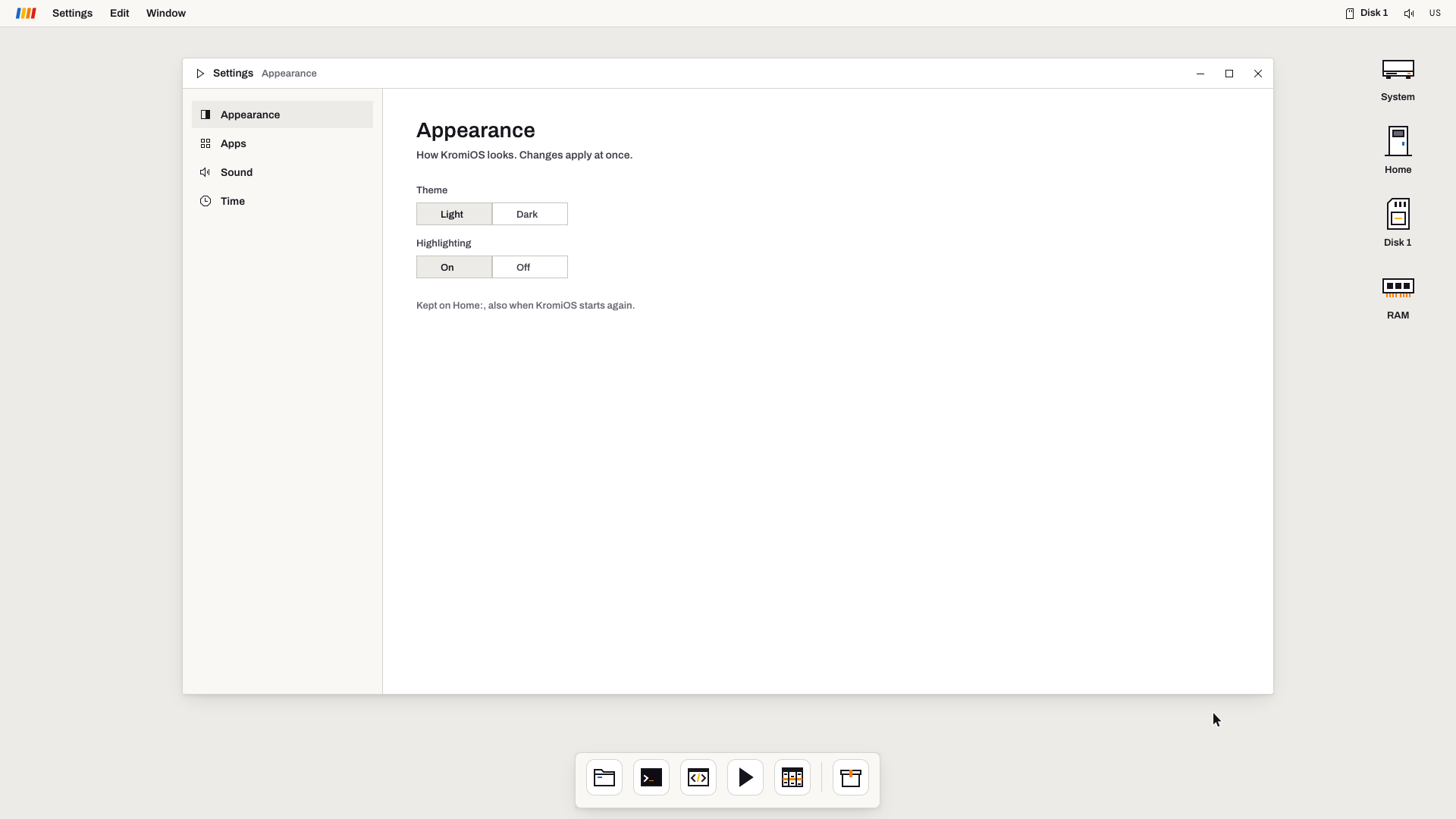 Settings keeps your choices on Home:, also when KromiOS starts again. A screenshot from the emulator.
Which brings us to the restart. Close KromiOS and start it again, and your windows come back where you left them, with the Terminal’s lines still in it and the clock in the menu bar.
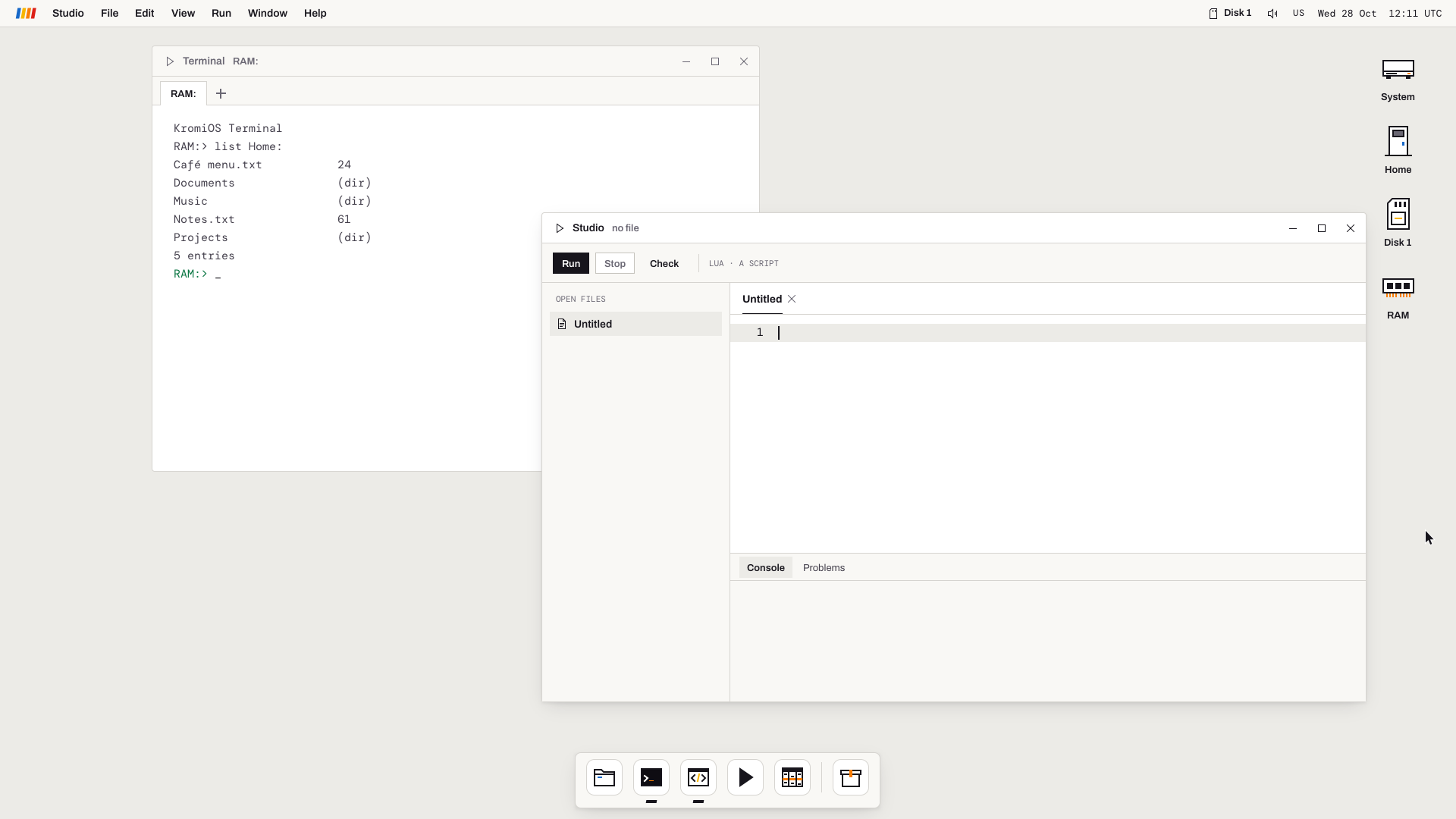 Right after a second start, with the Terminal and Studio put back by KromiOS. A screenshot from the emulator.
And Studio, where you write programs in Lua, has learnt to help while you type. It offers the names it knows, and the fields and functions of a table you made yourself.
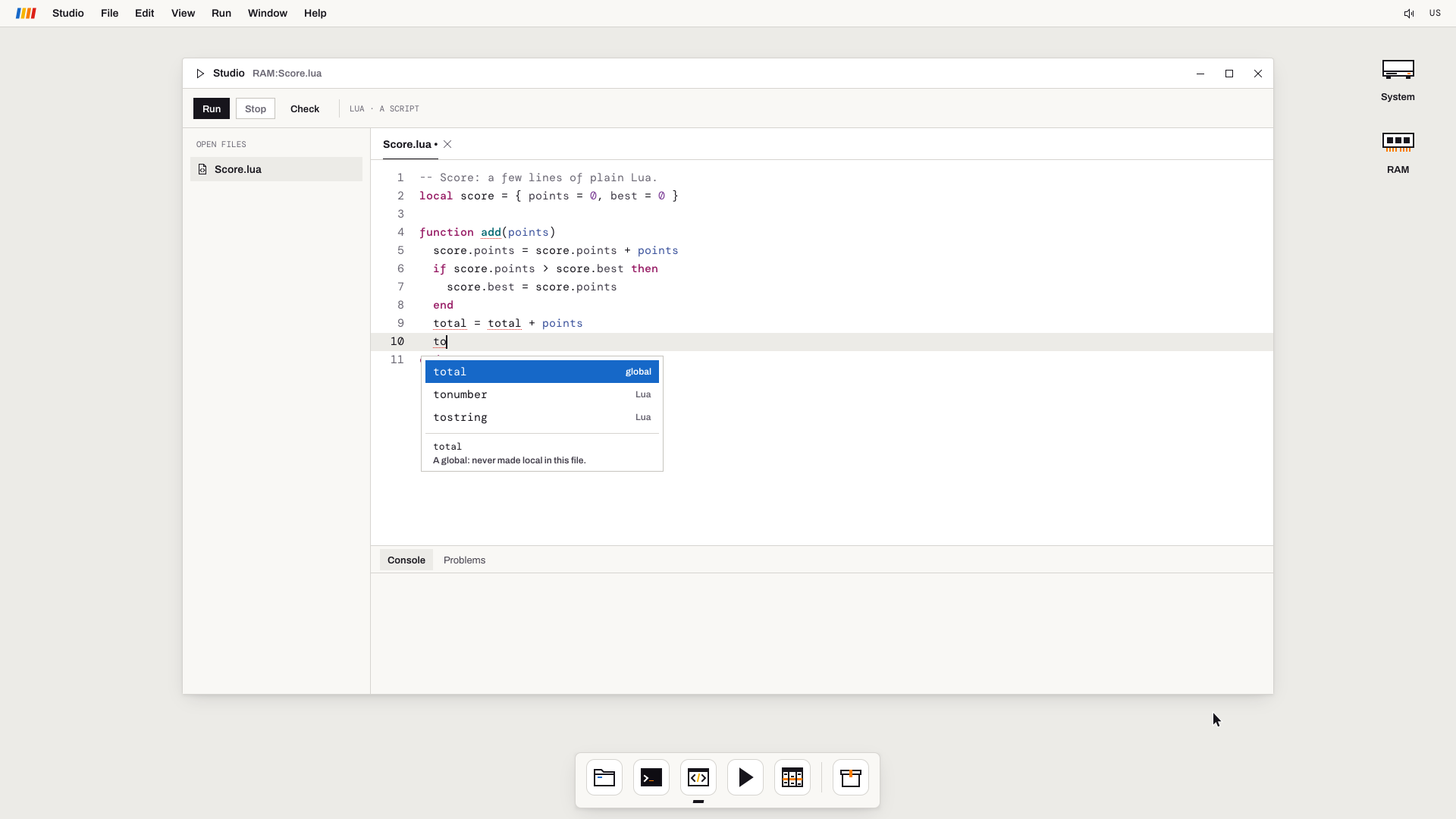 Type “to” and Studio offers the matching names. A screenshot from the emulator.
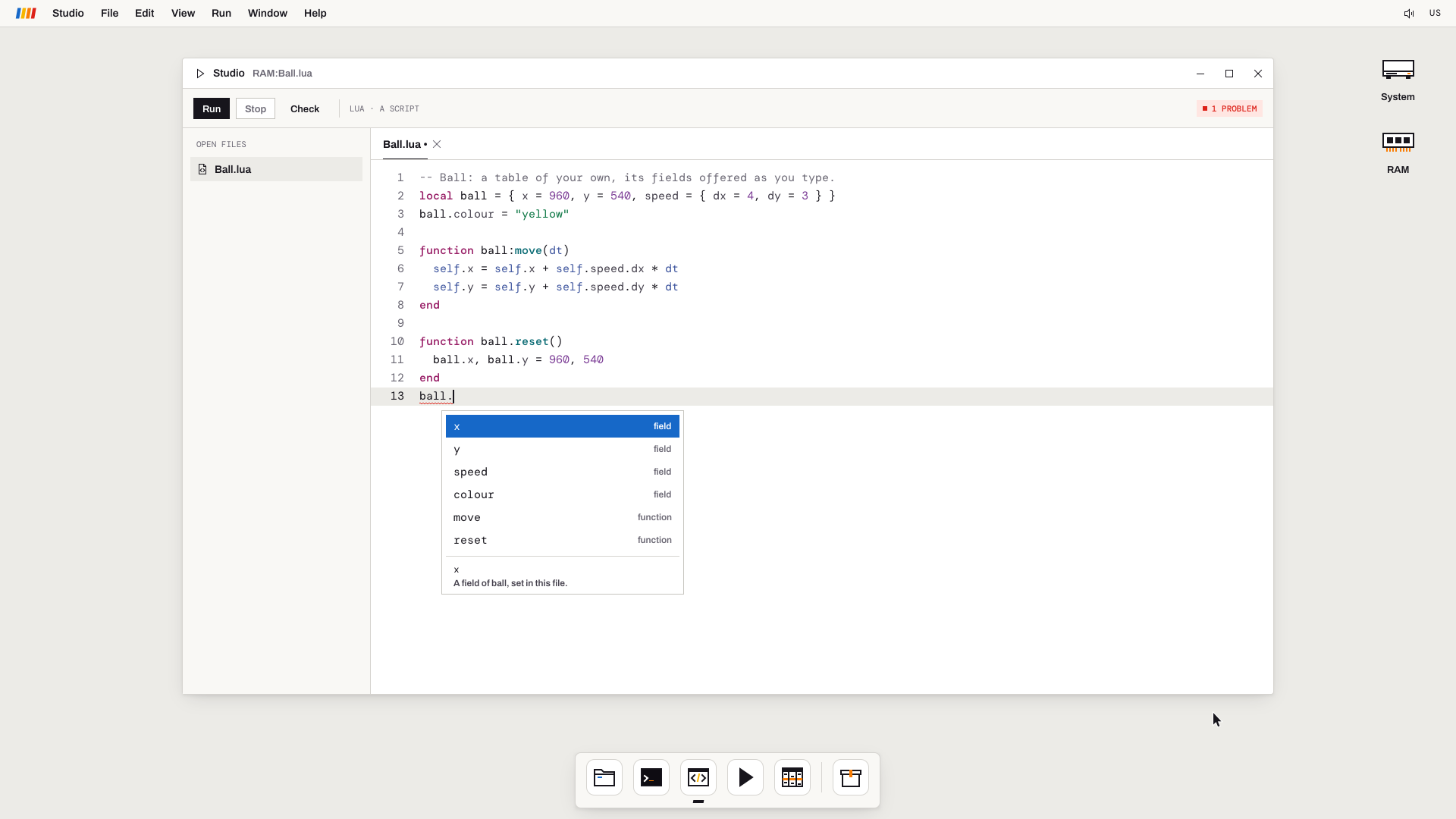 Type the name of your own table and a dot, and Studio offers what you gave it. The small red “1 PROBLEM” is the half-typed line. A screenshot from the emulator.
All of this runs in the emulator and on the Mac so far. The next sitting with the board is where it gets its first test on the real screen.
What isn’t real yet
In these runs, the keyboard and mouse were still scripted, and nothing was stored on a disk yet. Since then, KROM’s own USB host has run on the board with a real keyboard and mouse, and KromiOS takes them too: its normal build in the emulator, and on the board a live session build, where Sergej typed on a real keyboard with a real mouse himself. We’ll tell that story in its own post. KROM has also made the SD card a disk, checked on the board, and KromiOS now keeps its files, settings and session on the card’s home drive, so far in the emulator and on the Mac; its first run on the board waits for Sergej’s next sitting.
The new features this run needed (the hand-over, the frame checksum and a few more) became the 17th revision of KROM’s contract with programs. Like every revision before it, it only adds: a program written for an earlier revision runs unchanged. Several more revisions have come out since.
If you want to hear when the next post is out, join the list. We write about once a month, and first when the developer edition opens.